Booting a Pi Zero W with no SD card
Back to the Pi Zero W hub · measured 2026-10-12
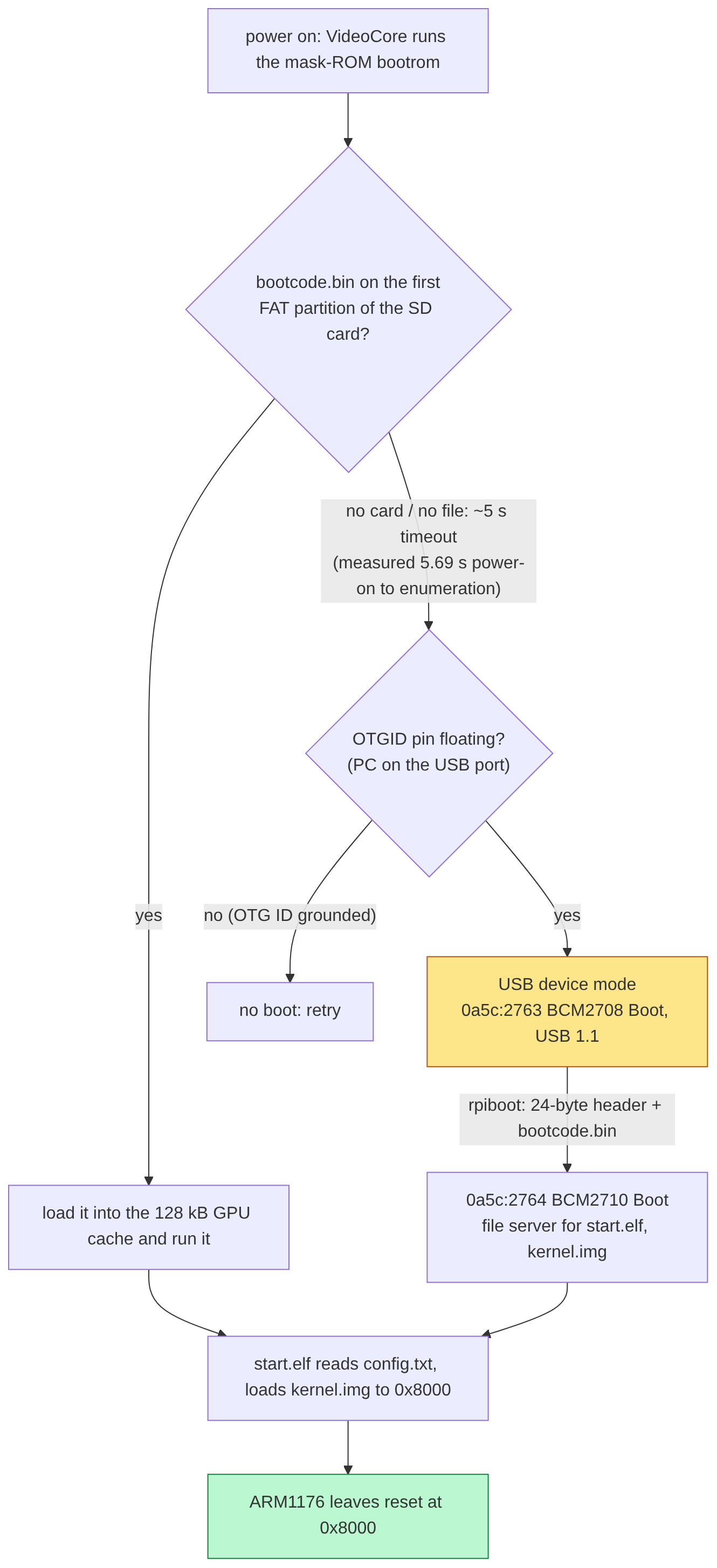
Situation
On 2026-10-11 I wrote a bare-metal program for the Pi Zero from an empty folder: start.S, a linker
script at 0x8000, a bit of C that sets up the PL011 UART and blinks the ACT LED. objcopy gives a
flat kernel.img of 1381 bytes. No header, no ELF loader, nothing. It passed make verify (entry
address, first instruction, no ARMv7 opcodes sneaking in) and ran on QEMU’s raspi0.
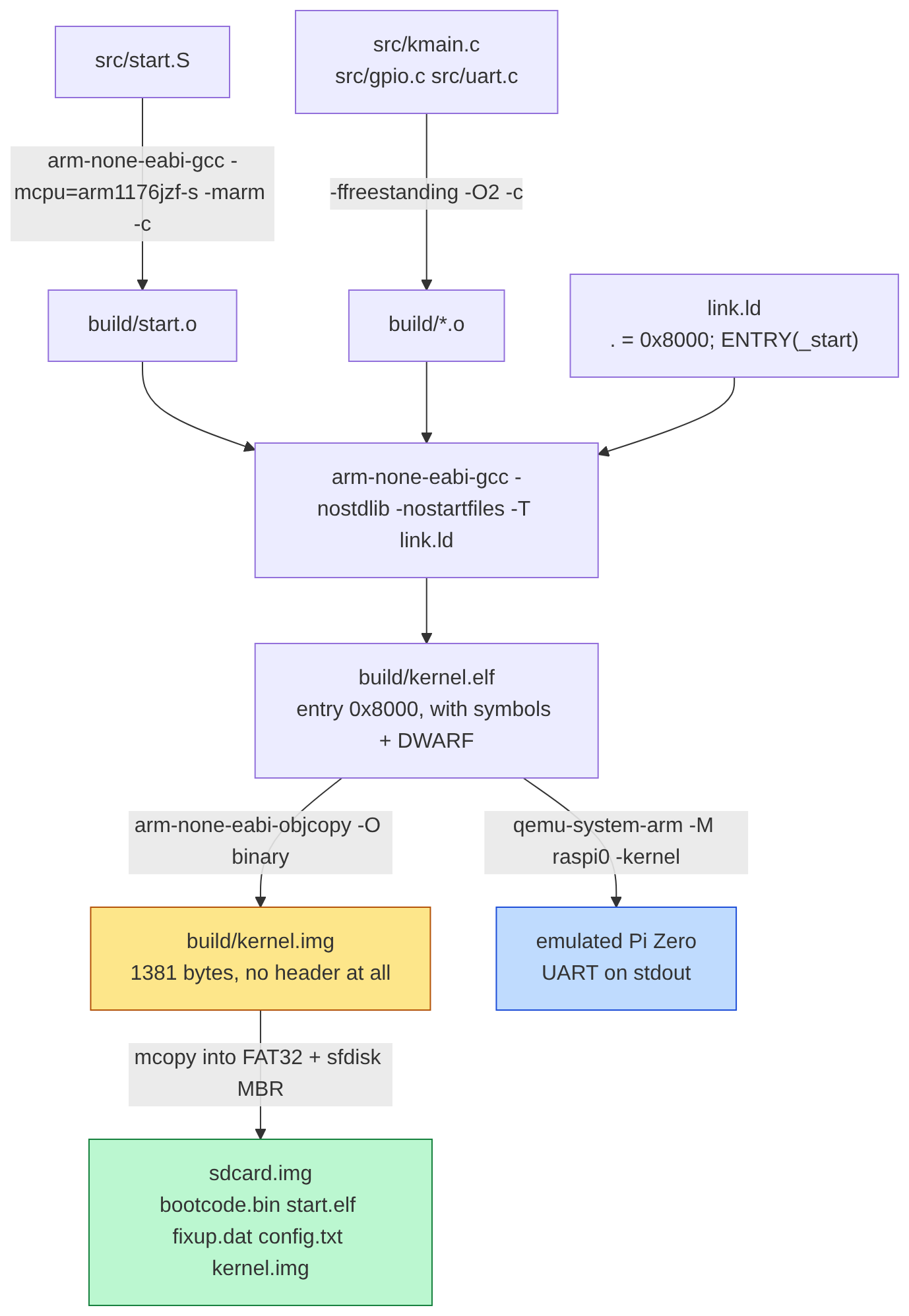 How the 1381 bytes come out:
start.S + C, linked at 0x8000, objcopy -O binary, no header at all. QEMU raspi0 was my only test before the board.
Next day I plugged the real board into my PC. No SD card. lsusb showed one line:
Bus 003 Device 095: ID 0a5c:2763 Broadcom Corp. BCM2708 Boot
That is the GPU’s boot ROM, sitting in USB device mode, waiting for someone to push code at it.
Task
Get my kernel.img running on the board through that USB port alone, and understand each step well
enough to repeat it without guessing. The only thing on the board that could tell me it worked was the
green ACT LED.
Action
The host side. In USB device mode the board can’t fetch anything; the PC has to push. That’s
rpiboot from raspberrypi/usbboot. Ubuntu has no package for it (I checked with apt), so I build it
from source with a small script. The first run failed on permissions (errno=13): the USB node for
0a5c:2763 is root-only. A udev rule for 0a5c:2763 and 0a5c:2764 fixed that, no more sudo.
Three USB devices on one cable. A boot is really three devices in a row:
- the boot ROM,
0a5c:2763, USB 1.1, one bulk pair of 64 bytes; bootcode.binafter rpiboot sends it (a 24-byte boot message, then the file), re-enumerating as0a5c:2764, which then asks the PC for files by name;start.elf(the GPU firmware), which readsconfig.txt, asks forkernel.img, copies it to0x8000and releases the ARM.
The stable firmware didn’t work. With the current stable start.elf, the LED stayed solid on.
rpiboot gave up with -7 (a 5 s bulk timeout) on the very first file read. Twice, same place. Every
GetFileSize worked, because that’s a control transfer with no bulk data; the first ReadFile is
where it dies. Without a config.txt the failing file just became kernel.img. So it’s not the file,
it’s the first bulk read.
So I bisected firmware tags. The Makefile keeps one folder per release so I could flip between them:
| Firmware | Result |
|---|---|
| stable | ReadFile -> -7, LED solid |
| 1.20241126, 1.20230405, 1.20190925, 1.20180328 | kernel.img 1381 B sent, Done |
| 1.20200902 | never re-enumerates (a different, older bug) |
I pinned FW_USB_TAG ?= 1.20241126. On that run the LED started blinking evenly. start.elf had
also asked for bcm2708-rpi-zero-w.dtb, which told me the board is a Zero W, not a plain Zero. That
matters: on the W the ACT LED is active low (3V3, R20 470 ohm, LED, GPIO47), on the plain Zero it’s
active high. My build default became BOARD ?= zero_w.
Timing it. I cut the power, then timed power-on until the boot ROM showed up on USB:
power-on -> bootrom enumerated: 5.69 s
bcdUSB 1.10
iProduct 2 BCM2708 Boot
MaxPower 100mA
bEndpointAddress 0x01 EP 1 OUT
bEndpointAddress 0x82 EP 2 IN
5.69 s is the SD timeout: the ROM tries the card first, gives up, then falls back to USB. The docs say “SD boot mode takes five seconds to fail”, so that lines up.
The trap. Right after that lsusb -v, the next boot failed at the very first transfer, which had
never happened before:
Sending bootcode.bin
Failed control transfer (-7,24)
Failed to write correct length, returned -7
I tried it both ways. Power-cycle, wait 10 s, rpiboot: fine (Received message Done: kernel.img).
Power-cycle, lsusb -v on the boot ROM, rpiboot: broken again. 2 out of 2. I never proved why. My
guess is the ROM mishandles one of the extra descriptor requests lsusb -v sends. I just don’t query
it any more.
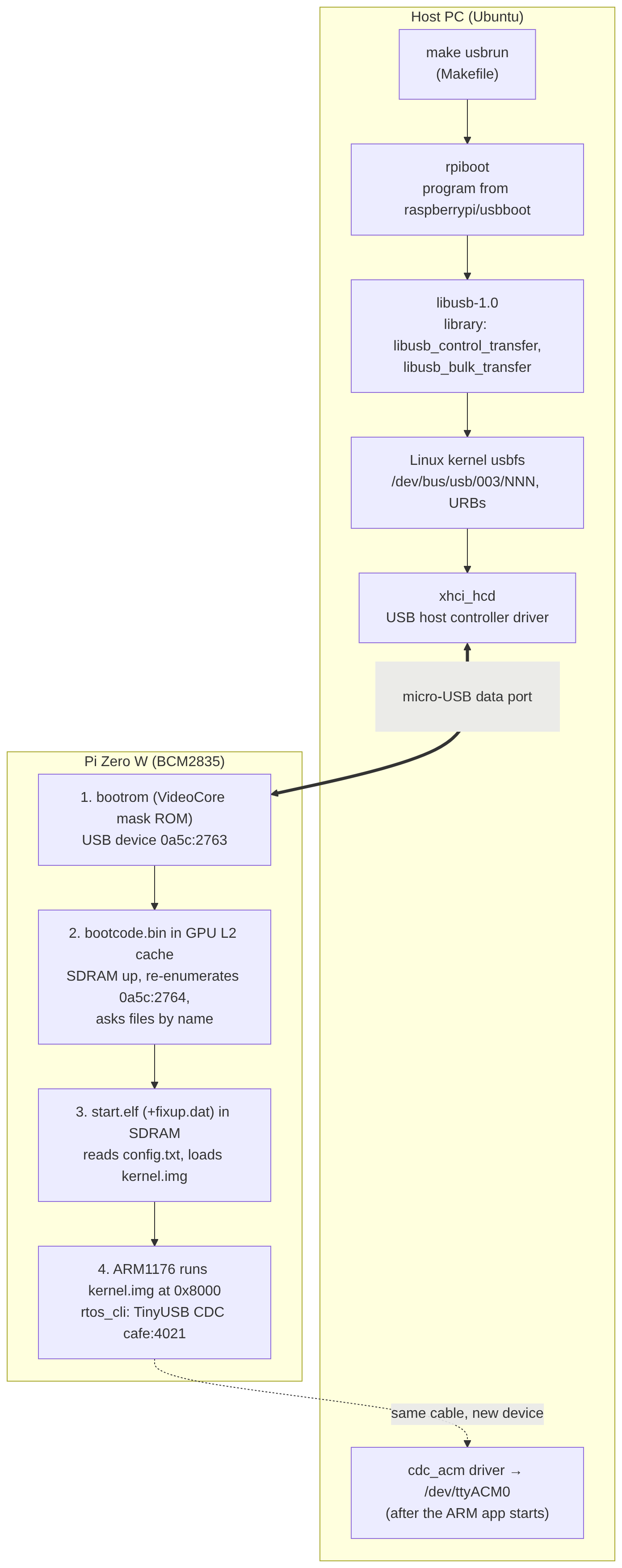 Both ends of the one cable: rpiboot and libusb on my PC, then the four stages on the Zero (boot ROM
0a5c:2763, bootcode.bin re-enumerating as 0a5c:2764, start.elf, my kernel at 0x8000).
Result
My 1381-byte kernel.img boots on the real Pi Zero W over USB with no SD card, LED blinking.
Power-on to my code is about 10 s: 5.7 s SD timeout, 2.3 s for bootcode.bin, 1.6 s to
re-enumerate, then the file transfers. And with this firmware one boot is two enumerations, not
three: start.elf keeps using bootcode.bin’s USB device.
The stable firmware’s start.elf never takes its first bulk read on USB boot; 1.20241126 works,
and so do three older tags. Two traps I keep in mind: don’t lsusb -v the boot ROM before rpiboot,
and don’t trust a blinking LED as proof of anything else (see the
shell story: my kernel was blinking
from the wrong address).
What I’d do next
Find the first firmware release that breaks USB boot. I only know it’s after 1.20241126. And get a
3.3 V UART cable on pins 8/10, because the bare-metal UART banner still has never been seen on a real
wire; the baud divisor (IBRD=26, FBRD=3 for a 48 MHz UART clock) is arithmetic, not a measurement.