Running the official policies with no window
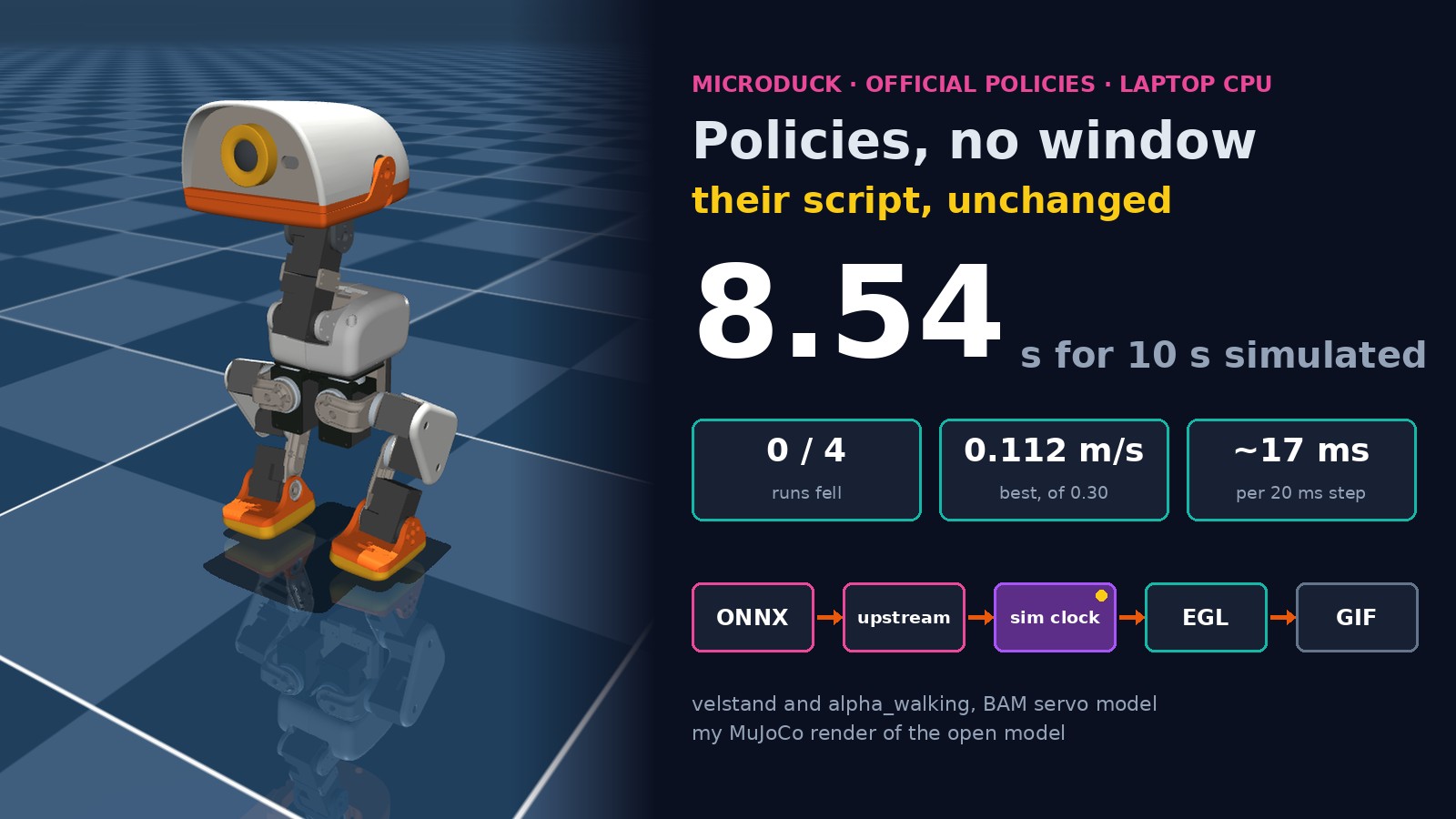 10 s of simulation in 8.54 s on a laptop CPU, 0 falls in 4 runs, but only 0.09 to 0.11 of 0.3 m/s.
Situation
6 November 2026. I had the Microduck repos and the published walking policies pinned at a fixed commit,
and a laptop with no GPU to run them on. Their scripts/infer_policy.py is the
reference rollout: upstream’s own notes say to rehearse there before touching the robot. But it opens a
MuJoCo viewer, reads arrow keys from the terminal and paces itself with real-time sleep().
Task
Run the official policies (velstand and alpha_walking) unchanged, with no window, and get out a
GIF plus the numbers that say whether the duck walks: forward speed, trunk height, fell or not.
Action
I didn’t rewrite the loop. The 61-value observation, the command slots and the servo model wiring would
become a second copy that can drift from what the policies were trained on. Instead a small wrapper
imports their script and swaps three names: the viewer becomes an off-screen EGL renderer that keeps
every second frame, the keyboard becomes a fixed command, and time becomes a simulated clock whose
sleep(s) just adds s. That way every step sees exactly 20 ms, however slow rendering is, and one GIF
second is one simulated second.
The first run died on a path:
$ MUJOCO_GL=egl ext/venv-cpu/bin/python tools/headless_play.py --seconds 10 --out out/velstand_fwd \
    -- --walking ext/policies/velstand.onnx --new-cmd-obs --lin-vel-x 0.15
Load model from ext/policies/velstand.onnx failed … File doesn't exist
Their script chdirs into the upstream repo, so my relative path pointed nowhere. Now the wrapper makes
any argument that names an existing file absolute first. Second run:
BAM m6 actuators on 14 joints: kt=0.3660 R=2.8114 vin=7.40V kp_fw=200 ... forcerange=+/-0.963Nm
Walking policy input: obs, shape: [1, 61]
Walking policy output: actions, shape: [1, 14]
Control frequency: 50 Hz (decimation: 4)
[vel 1s avg] achieved/cmd  fwd=+0.01/+0.15  lat=-0.00/+0.00 m/s  yaw=-0.02/+0.00 rad/s   trunk_z=114.1 mm
…
[vel 1s avg] achieved/cmd  fwd=+0.00/+0.15  lat=+0.00/+0.00 m/s  yaw=-0.00/+0.00 rad/s   trunk_z=114.0 mm
It stood fine and didn’t move. So I ran 0.3 m/s with both policies, and once with the servo model (BAM) switched off.
Result
| Run | Policy | Command | Servo model | Forward speed after 2 s | Trunk | Fell |
|---|---|---|---|---|---|---|
| 1 | velstand | 0.15 m/s | BAM | 0.000 m/s | 114–125 mm | no |
| 2 | velstand | 0.30 m/s | BAM | 0.088 m/s | 111–125 mm | no |
| 3 | alpha_walking | 0.30 m/s | BAM | 0.112 m/s | 113–125 mm | no |
| 4 | velstand | 0.30 m/s | position only | 0.108 m/s | 113–125 mm | no |
No falls, and 10 s of simulation took 8.54 s of wall time with 250 frames rendered, so about 17 ms per 20 ms step on a plain CPU. But it only does about a third of the commanded speed, and nothing at all at 0.15 m/s. The training range is ±0.4 m/s, so 0.3 is a fair ask. With BAM off it’s barely different (0.108 against 0.088), so I don’t think the servo model is the cause.
What I’d do next
Sweep 0.1 to 0.4 m/s and a turn, and run the same policies through upstream’s own play command, to tell
a problem in my wrapper from the policy itself. My suspects are the low-command “stand” bucket in
training and the command layout flag.