Talking SCIP 2.0 to the URG-04LX by hand
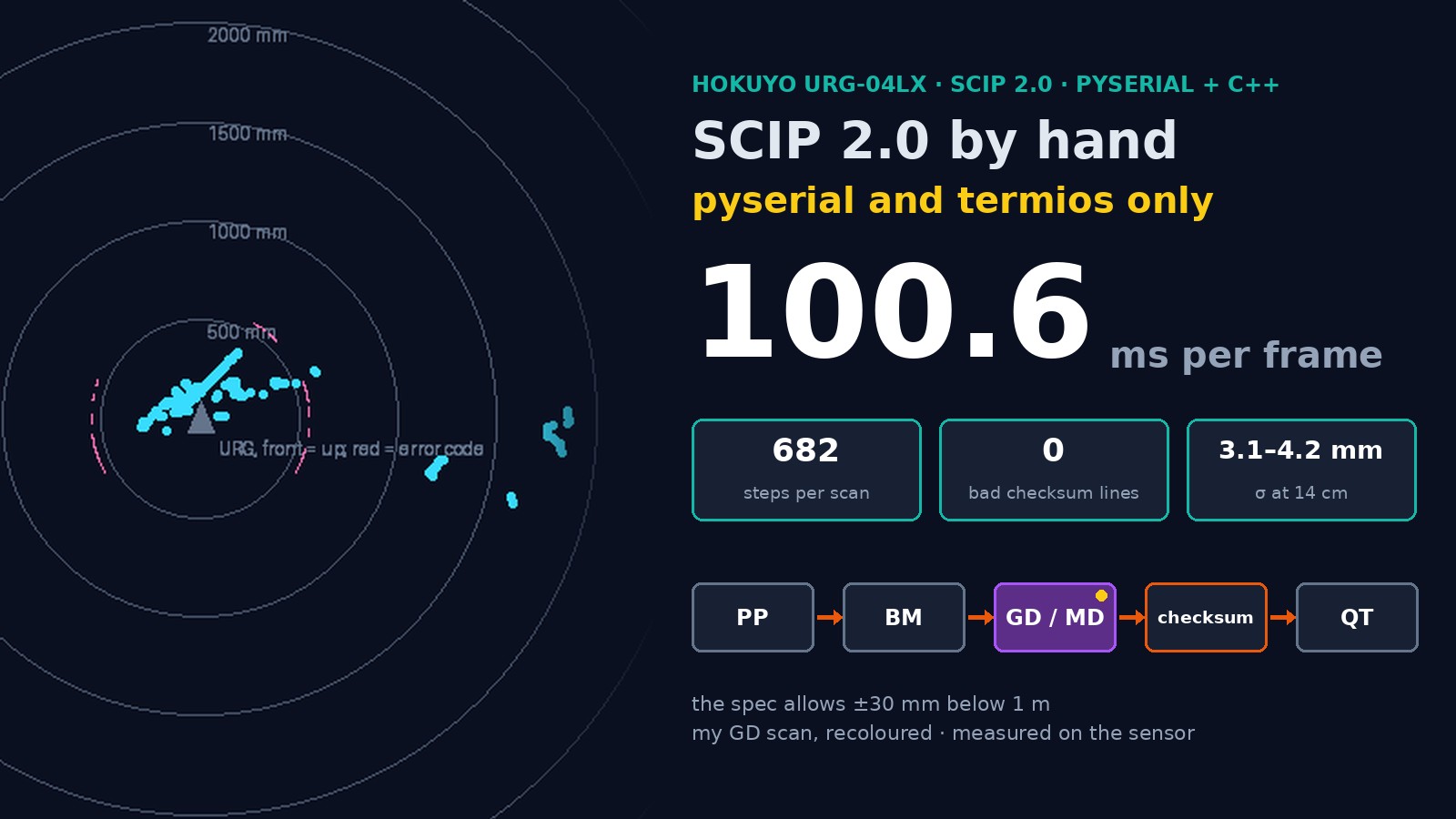 Every frame has 682 steps and 0 bad checksum lines, 100.6 ms apart, σ 3 to 4 mm at 14 cm.
Situation
The demos I had used Hokuyo’s urg_cpp, which hides the wire completely. When something looked off
I couldn’t tell whether it was my code, the library or the sensor. The protocol, SCIP 2.0, is plain
ASCII over the serial port, so there was no good reason not to look at it directly.
Task
Talk to the sensor with nothing but pyserial: ask it what it is, take one scan, stream a few, check
every checksum, and get numbers out of it (scan period, noise). Then make the same thing a small C++
client with termios only, so the sensor can be checked on a machine without urg_cpp installed.
Action
First I asked the sensor itself instead of trusting the datasheet. PP gives the geometry I need
for a scan:
>>> PP
PP
00P
MODL:URG-04LX-UG01(Simple-URG)(Hokuyo Automatic Co.,Ltd.);N
DMIN:20;4
DMAX:5600;_
...
AMIN:44;7
AMAX:725;o
AFRT:384;6
SCAN:600;e
Steps 44 to 725, straight ahead is step 384. Every value is sent as text, 6 bits per character
(character minus 0x30), high bits first; GD uses three characters per distance. A line’s
checksum is the low 6 bits of the sum of its bytes, plus 0x30. My first C++ version included
the ; in the checksum of those KEY:value;c lines. I got suspicious reading it back, so I tested
it on the real lines before building anything:
DMIN:20;4 without ; True with ; False
DMAX:5600;_ without ; True with ; False
STAT:Sensor works well.;8 without ; True with ; False
The semicolon isn’t counted. Then the scan: laser on (BM), GD over the full range, laser off
(QT). 682 points, 0 bad checksum lines. Values under 20 are error codes, not distances: code 0
means no echo, 7 means a neighbouring step failed.
Streaming with MD is where I broke things twice. My command was one character short (I’d forgotten
the interval digit) and the sensor answered status 0C. After fixing that it accepted the command
but my parser still crashed: I read 8 KB chunks until the buffer ended in a blank line, and under
MD the ack and the frames arrive back to back, so one read swallowed the start of the next frame.
Now there’s one buffer, split at the first blank line, and the rest is kept for the next read.
One more thing the documents I found didn’t settle, so I measured it: QT sent in the middle of a stream
came back after 2137 bytes of a frame still in flight, so a client has to skip old data until it
sees the QT echo.
Result
$ python3 tools/urg_scip.py stream -n 20 | sed -n '1,3p;$p'; python3 tools/urg_scip.py stream -n 20 | tail -2
ack ['MD0044072500020', '00P']
 MD0044072500019 status 99b ts 16344700 steps 682 bad 0
 MD0044072500018 status 99b ts 16344801 steps 682 bad 0
0 deg over 20 scans [144, 146, 143, 140, 140, 136, 135, 143, 142, 143, 140, 135, 145, 135, 131, 132, 136, 139, 137, 137] mean 138.9 pstdev 4.2 mm
frame dt ms [101, 100, 101, 101, 100, 101, 101, 100, 101, 100, 101, 101, 100, 101, 101, 100, 101, 101, 100] mean 100.6
0 deg over 20 scans [138, 139, 141, 140, 145, 140, 138, 139, 140, 143, 142, 139, 139, 139, 145, 137, 141, 149, 139, 147] mean 141.0 pstdev 3.1 mm
Every frame has 682 steps and no bad checksum line, a frame every 100.6 ms (the sensor’s own
timestamps, which matches SCAN:600), and at about 14 cm straight ahead the reading scatters by
3.1 to 4.2 mm across runs. The spec only promises ±30 mm below 1 m. The C++ client builds with
-Wall -Wextra and no warnings and gives the same scan as the Python one.
The plot on the hub page is drawn with Pillow, by the way: matplotlib on that machine was built against NumPy 1.x and wouldn’t import under NumPy 2.2.6, and I didn’t want to touch the system Python for one picture.
What I’d do next
Look at the laser class label on the sensor itself (I couldn’t confirm Class 1 / 785 nm from any official source), and see what the error codes do on black cloth, a mirror and the edge of a box.